









A map journal & saved places app for iPhone

Where you’ve been.Who you were with.

Save places to go and record the places you’ve been.
Check in together in person, then organize memories by collection or person.

Buy once. Get the full app.No subscriptionOngoing updates

iOS 18+ · No account · No ads · Stored on your device

Saved places map

Group check-ins & collections

Record together and organize memories by trip, chapter of life or person. Revisit past entries with On This Day.

Join in person with a QR code or a tap and share your words and photos. Everyone keeps their own copy of the group memory.

Group check-in details

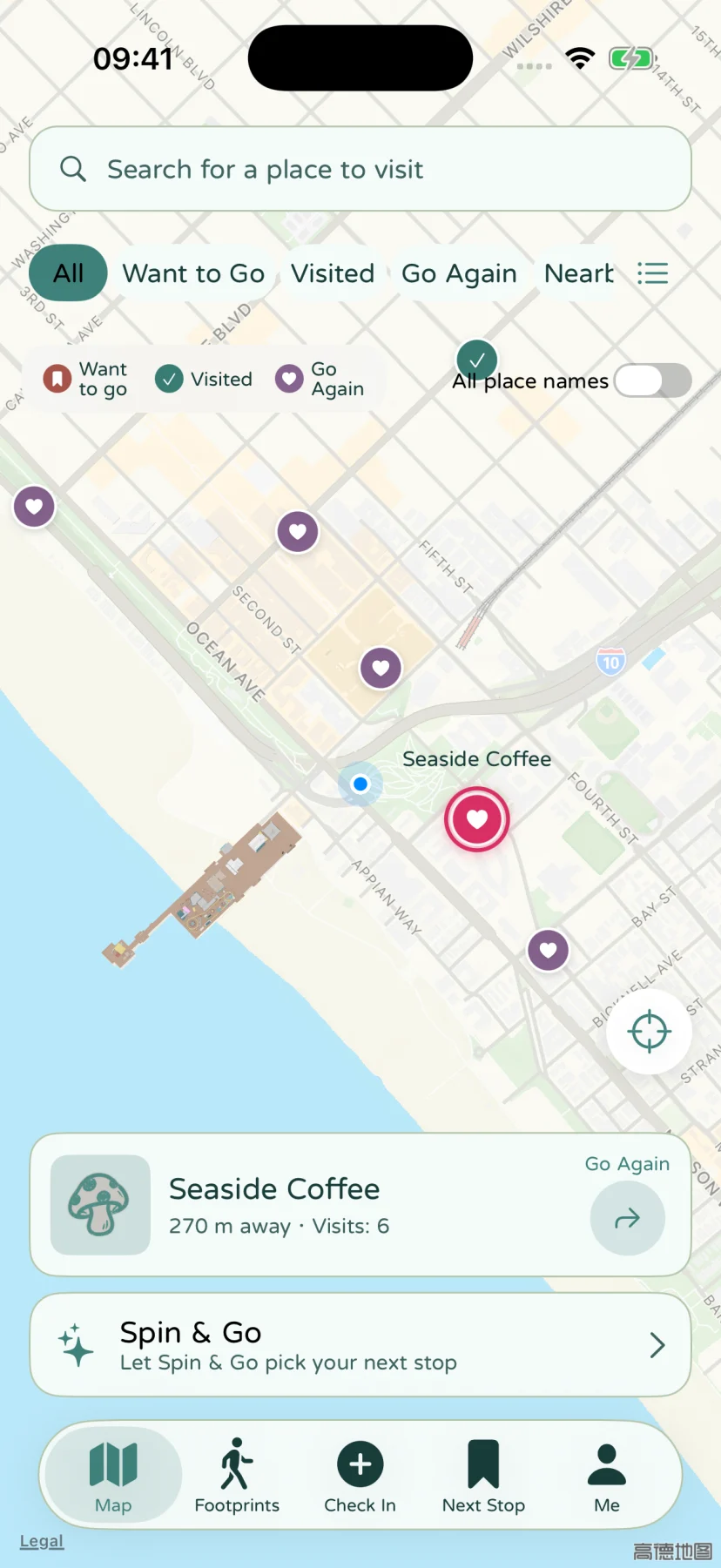
A coastal map with fictional saved places
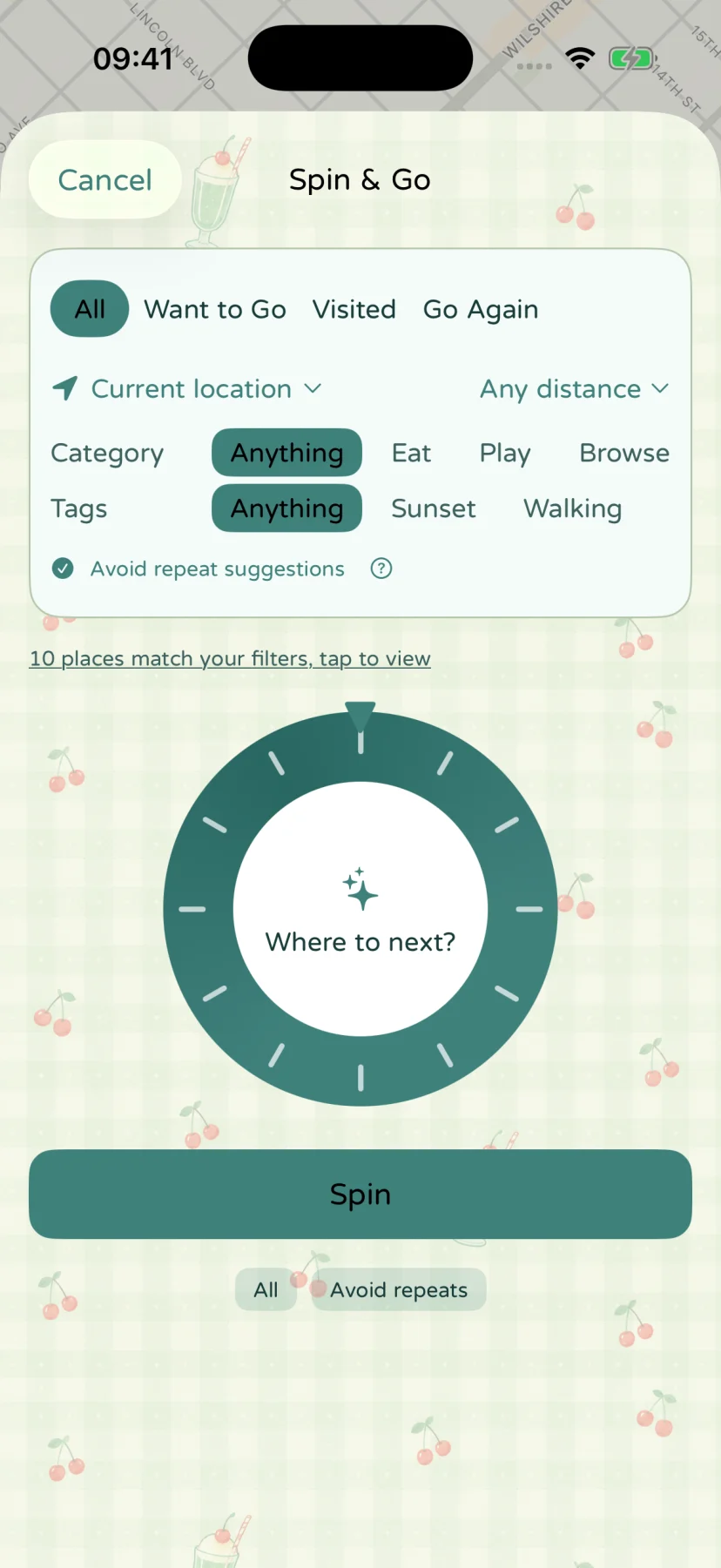
The English Spin & Go screen with status, distance, category and tag filters, using fictional places

Saved places & Spin & Go

Keep places worth visiting

Save places that catch your eye. Add photos, tags and notes to remember what makes each one worth a visit.

  • Want to go
  • Been there
  • Go again
Explore saved places

Let Spin & Go decide

Can’t decide where to go? Narrow your saved places by distance, category or tags, let the wheel pick a stop, and open directions.

Spin & Go details

Appearance & languages

Choose a theme, palette and font. Customize how memories look in the app and when you share them.

Themes10 styles

Themes & templates
Strawberry Picnic theme background
Strawberry Picnic
Yellow Gingham theme background
Yellow Gingham
Strawberry Cats theme background
Strawberry Cats
Cream Soda theme background
Cream Soda
Blue Flowers theme background
Blue Flowers
Night Train theme background
Night Train
Cyberpunk theme background
Cyberpunk
Ghost Town theme background
Ghost Town
Comic World theme background
Comic World
Oil Garden theme background
Oil Garden

Palettes22 palettes

Languages8 languages

Fonts & languages
  • 简体中文
  • 繁體中文
  • English
  • 日本語
  • Español
  • Français
  • Deutsch
  • Português (Brasil)

Backup & offline export

Full backups restore the app. HTML packages are for reading. iCloud Drive is a place to keep your backup file.

Restore app data

Full backup

.stopsandstories

Keep a restorable copy before changing phones or reinstalling.

  • Includes places, memories, people, media, profiles, templates and settings.
  • Import to restore the app. This replaces existing data on the target device.

JSON records and media in one file, with SHA-256 integrity checks.

Backup & restore guide

Keep a cloud copy

iCloud Drive

Backup storage

Store the same full backup file in your own iCloud Drive.

  • Choose iCloud Drive when exporting. Retrieve and import the file on your new phone.
  • Export manually again when records change. App data does not sync automatically.

Save and retrieve through Apple’s Files interface. iCloud Drive manages the file copy.

iCloud Drive guide

Read memories offline

HTML memory package

.zip

Read your writing, photos and videos on a computer, outside the app.

  • Unzip the entire package and open index.html.
  • For reading only. It cannot restore data in the app.

An HTML/CSS reading page bundled with media, ready to open locally offline.

Offline export guide

On your device: SwiftData manages records; photos and videos are stored as separate local files.

Why we keep memories locally
The white cockatiel icon for Stops & Stories

Download Stops & Stories

Coming soon to iPhone.

One purchase. No subscription.

iPhoneiOS 18+In TestFlight · Coming soon
iPadComing soon
MacComing soon
Google PlayAndroidComing soon